
- Home
- Services
- Portfolio
- About
- Service AreasFort Lauderdale, FL
- Web Design
- Redesign
- WordPress
- Ecommerce
- Landing Pages
- SEO Services
- Local SEO
- GBP
- Google Ads
- PPC
- Digital Marketing
- Internet Marketing
- Advertising
- Tracking
- Dental Marketing
- Medical Marketing
- HVAC Marketing
- Roofing Marketing
- Pest Control Marketing
- Home Services Marketing
- Plumbing Marketing
- Electrical Marketing
- Landscaping Marketing
- Remodeling Marketing
Pembroke Pines, FL- Web Design
- Redesign
- WordPress
- Ecommerce
- Landing Pages
- SEO Services
- Local SEO
- GBP
- Google Ads
- PPC
- Digital Marketing
- Internet Marketing
- Advertising
- Tracking
- Dental Marketing
- Medical Marketing
- HVAC Marketing
- Roofing Marketing
- Pest Control Marketing
- Home Services Marketing
- Plumbing Marketing
- Electrical Marketing
- Landscaping Marketing
- Remodeling Marketing
Hialeah, FL- Web Design
- Redesign
- WordPress
- Ecommerce
- Landing Pages
- SEO Services
- Local SEO
- GBP
- Google Ads
- PPC
- Digital Marketing
- Internet Marketing
- Advertising
- Tracking
- Dental Marketing
- Medical Marketing
- HVAC Marketing
- Roofing Marketing
- Pest Control Marketing
- Home Services Marketing
- Plumbing Marketing
- Electrical Marketing
- Landscaping Marketing
- Remodeling Marketing
Hollywood, FL- Web Design
- Redesign
- WordPress
- Ecommerce
- Landing Pages
- SEO Services
- Local SEO
- GBP
- Google Ads
- PPC
- Digital Marketing
- Internet Marketing
- Advertising
- Tracking
- Dental Marketing
- Medical Marketing
- HVAC Marketing
- Roofing Marketing
- Pest Control Marketing
- Home Services Marketing
- Plumbing Marketing
- Electrical Marketing
- Landscaping Marketing
- Remodeling Marketing
Miramar, FL- Web Design
- Redesign
- WordPress
- Ecommerce
- Landing Pages
- SEO Services
- Local SEO
- GBP
- Google Ads
- PPC
- Digital Marketing
- Internet Marketing
- Advertising
- Tracking
- Dental Marketing
- Medical Marketing
- HVAC Marketing
- Roofing Marketing
- Pest Control Marketing
- Home Services Marketing
- Plumbing Marketing
- Electrical Marketing
- Landscaping Marketing
- Remodeling Marketing
Coral Springs, FL- Web Design
- Redesign
- WordPress
- Ecommerce
- Landing Pages
- SEO Services
- Local SEO
- GBP
- Google Ads
- PPC
- Digital Marketing
- Internet Marketing
- Advertising
- Tracking
- Dental Marketing
- Medical Marketing
- HVAC Marketing
- Roofing Marketing
- Pest Control Marketing
- Home Services Marketing
- Plumbing Marketing
- Electrical Marketing
- Landscaping Marketing
- Remodeling Marketing
Pompano Beach, FL- Web Design
- Redesign
- WordPress
- Ecommerce
- Landing Pages
- SEO Services
- Local SEO
- GBP
- Google Ads
- PPC
- Digital Marketing
- Internet Marketing
- Advertising
- Tracking
- Dental Marketing
- Medical Marketing
- HVAC Marketing
- Roofing Marketing
- Pest Control Marketing
- Home Services Marketing
- Plumbing Marketing
- Electrical Marketing
- Landscaping Marketing
- Remodeling Marketing
Davie, FL- Web Design
- Redesign
- WordPress
- Ecommerce
- Landing Pages
- SEO Services
- Local SEO
- GBP
- Google Ads
- PPC
- Digital Marketing
- Internet Marketing
- Advertising
- Tracking
- Dental Marketing
- Medical Marketing
- HVAC Marketing
- Roofing Marketing
- Pest Control Marketing
- Home Services Marketing
- Plumbing Marketing
- Electrical Marketing
- Landscaping Marketing
- Remodeling Marketing
Sunrise, FL- Web Design
- Redesign
- WordPress
- Ecommerce
- Landing Pages
- SEO Services
- Local SEO
- GBP
- Google Ads
- PPC
- Digital Marketing
- Internet Marketing
- Advertising
- Tracking
- Dental Marketing
- Medical Marketing
- HVAC Marketing
- Roofing Marketing
- Pest Control Marketing
- Home Services Marketing
- Plumbing Marketing
- Electrical Marketing
- Landscaping Marketing
- Remodeling Marketing
Plantation, FL- Web Design
- Redesign
- WordPress
- Ecommerce
- Landing Pages
- SEO Services
- Local SEO
- GBP
- Google Ads
- PPC
- Digital Marketing
- Internet Marketing
- Advertising
- Tracking
- Dental Marketing
- Medical Marketing
- HVAC Marketing
- Roofing Marketing
- Pest Control Marketing
- Home Services Marketing
- Plumbing Marketing
- Electrical Marketing
- Landscaping Marketing
- Remodeling Marketing
Deerfield Beach, FL- Web Design
- Redesign
- WordPress
- Ecommerce
- Landing Pages
- SEO Services
- Local SEO
- GBP
- Google Ads
- PPC
- Digital Marketing
- Internet Marketing
- Advertising
- Tracking
- Dental Marketing
- Medical Marketing
- HVAC Marketing
- Roofing Marketing
- Pest Control Marketing
- Home Services Marketing
- Plumbing Marketing
- Electrical Marketing
- Landscaping Marketing
- Remodeling Marketing
Miami Gardens, FL- Web Design
- Redesign
- WordPress
- Ecommerce
- Landing Pages
- SEO Services
- Local SEO
- GBP
- Google Ads
- PPC
- Digital Marketing
- Internet Marketing
- Advertising
- Tracking
- Dental Marketing
- Medical Marketing
- HVAC Marketing
- Roofing Marketing
- Pest Control Marketing
- Home Services Marketing
- Plumbing Marketing
- Electrical Marketing
- Landscaping Marketing
- Remodeling Marketing
Lauderhill, FL- Web Design
- Redesign
- WordPress
- Ecommerce
- Landing Pages
- SEO Services
- Local SEO
- GBP
- Google Ads
- PPC
- Digital Marketing
- Internet Marketing
- Advertising
- Tracking
- Dental Marketing
- Medical Marketing
- HVAC Marketing
- Roofing Marketing
- Pest Control Marketing
- Home Services Marketing
- Plumbing Marketing
- Electrical Marketing
- Landscaping Marketing
- Remodeling Marketing
West Palm Beach, FL- Web Design
- Redesign
- WordPress
- Ecommerce
- Landing Pages
- SEO Services
- Local SEO
- GBP
- Google Ads
- PPC
- Digital Marketing
- Internet Marketing
- Advertising
- Tracking
- Dental Marketing
- Medical Marketing
- HVAC Marketing
- Roofing Marketing
- Pest Control Marketing
- Home Services Marketing
- Plumbing Marketing
- Electrical Marketing
- Landscaping Marketing
- Remodeling Marketing
Tamarac, FL- Web Design
- Redesign
- WordPress
- Ecommerce
- Landing Pages
- SEO Services
- Local SEO
- GBP
- Google Ads
- PPC
- Digital Marketing
- Internet Marketing
- Advertising
- Tracking
- Dental Marketing
- Medical Marketing
- HVAC Marketing
- Roofing Marketing
- Pest Control Marketing
- Home Services Marketing
- Plumbing Marketing
- Electrical Marketing
- Landscaping Marketing
- Remodeling Marketing
Weston, FL- Web Design
- Redesign
- WordPress
- Ecommerce
- Landing Pages
- SEO Services
- Local SEO
- GBP
- Google Ads
- PPC
- Digital Marketing
- Internet Marketing
- Advertising
- Tracking
- Dental Marketing
- Medical Marketing
- HVAC Marketing
- Roofing Marketing
- Pest Control Marketing
- Home Services Marketing
- Plumbing Marketing
- Electrical Marketing
- Landscaping Marketing
- Remodeling Marketing
Boca Raton, FLMargate, FLCoconut Creek, FLMiami Beach, FLHomestead, FLKendall, FLDoral, FLBoynton Beach, FLThe Hammocks, FLNorth Lauderdale, FLOakland Park, FLDelray Beach, FLNorth Miami, FLHallandale Beach, FLFontainebleau, FLKendale Lakes, FLWellington, FLJupiter, FLTamiami, FLPalm Beach Gardens, FLLauderdale Lakes, FLCooper City, FLCountry Club, FLParkland, FLCoral Gables, FLDania Beach, FLCutler Bay, FLNorth Miami Beach, FLGreenacres, FLLake Worth Beach, FLPrinceton, FLRoyal Palm Beach, FLSouth Miami Heights, FLRichmond West, FLRiviera Beach, FLWest Little River, FLGolden Glades, FLAventura, FLMiami Lakes, FLWestchester, FLLeisure City, FLCoral Terrace, FLPalm Springs, FLPalmetto Bay, FLHialeah Gardens, FLSunny Isles Beach, FLIves Estates, FLWest Park, FLSweetwater, FLPinecrest, FLSunset, FLPinewood, FLWilton Manors, FLOpa-locka, FLLighthouse Point, FLBelle Glade, FLNaranja, FLPalmetto Estates, FLBrownsville, FLKey Biscayne, FLOlympia Heights, FLMiami Springs, FLFlorida City, FLSouth Miami, FLThree Lakes, FLGladeview, FLNorth Palm Beach, FLMiami Shores, FLSouthwest Ranches, FLKings Point, FLLauderdale-by-the-Sea, FLHillsboro Beach, FLSea Ranch Lakes, FLLazy Lake, FL - Blog
- Contact
- Home
- Services
- Portfolio
- About
- Service AreasFort Lauderdale, FL
- Web Design
- Redesign
- WordPress
- Ecommerce
- Landing Pages
- SEO Services
- Local SEO
- GBP
- Google Ads
- PPC
- Digital Marketing
- Internet Marketing
- Advertising
- Tracking
- Dental Marketing
- Medical Marketing
- HVAC Marketing
- Roofing Marketing
- Pest Control Marketing
- Home Services Marketing
- Plumbing Marketing
- Electrical Marketing
- Landscaping Marketing
- Remodeling Marketing
Pembroke Pines, FL- Web Design
- Redesign
- WordPress
- Ecommerce
- Landing Pages
- SEO Services
- Local SEO
- GBP
- Google Ads
- PPC
- Digital Marketing
- Internet Marketing
- Advertising
- Tracking
- Dental Marketing
- Medical Marketing
- HVAC Marketing
- Roofing Marketing
- Pest Control Marketing
- Home Services Marketing
- Plumbing Marketing
- Electrical Marketing
- Landscaping Marketing
- Remodeling Marketing
Hialeah, FL- Web Design
- Redesign
- WordPress
- Ecommerce
- Landing Pages
- SEO Services
- Local SEO
- GBP
- Google Ads
- PPC
- Digital Marketing
- Internet Marketing
- Advertising
- Tracking
- Dental Marketing
- Medical Marketing
- HVAC Marketing
- Roofing Marketing
- Pest Control Marketing
- Home Services Marketing
- Plumbing Marketing
- Electrical Marketing
- Landscaping Marketing
- Remodeling Marketing
Hollywood, FL- Web Design
- Redesign
- WordPress
- Ecommerce
- Landing Pages
- SEO Services
- Local SEO
- GBP
- Google Ads
- PPC
- Digital Marketing
- Internet Marketing
- Advertising
- Tracking
- Dental Marketing
- Medical Marketing
- HVAC Marketing
- Roofing Marketing
- Pest Control Marketing
- Home Services Marketing
- Plumbing Marketing
- Electrical Marketing
- Landscaping Marketing
- Remodeling Marketing
Miramar, FL- Web Design
- Redesign
- WordPress
- Ecommerce
- Landing Pages
- SEO Services
- Local SEO
- GBP
- Google Ads
- PPC
- Digital Marketing
- Internet Marketing
- Advertising
- Tracking
- Dental Marketing
- Medical Marketing
- HVAC Marketing
- Roofing Marketing
- Pest Control Marketing
- Home Services Marketing
- Plumbing Marketing
- Electrical Marketing
- Landscaping Marketing
- Remodeling Marketing
Coral Springs, FL- Web Design
- Redesign
- WordPress
- Ecommerce
- Landing Pages
- SEO Services
- Local SEO
- GBP
- Google Ads
- PPC
- Digital Marketing
- Internet Marketing
- Advertising
- Tracking
- Dental Marketing
- Medical Marketing
- HVAC Marketing
- Roofing Marketing
- Pest Control Marketing
- Home Services Marketing
- Plumbing Marketing
- Electrical Marketing
- Landscaping Marketing
- Remodeling Marketing
Pompano Beach, FL- Web Design
- Redesign
- WordPress
- Ecommerce
- Landing Pages
- SEO Services
- Local SEO
- GBP
- Google Ads
- PPC
- Digital Marketing
- Internet Marketing
- Advertising
- Tracking
- Dental Marketing
- Medical Marketing
- HVAC Marketing
- Roofing Marketing
- Pest Control Marketing
- Home Services Marketing
- Plumbing Marketing
- Electrical Marketing
- Landscaping Marketing
- Remodeling Marketing
Davie, FL- Web Design
- Redesign
- WordPress
- Ecommerce
- Landing Pages
- SEO Services
- Local SEO
- GBP
- Google Ads
- PPC
- Digital Marketing
- Internet Marketing
- Advertising
- Tracking
- Dental Marketing
- Medical Marketing
- HVAC Marketing
- Roofing Marketing
- Pest Control Marketing
- Home Services Marketing
- Plumbing Marketing
- Electrical Marketing
- Landscaping Marketing
- Remodeling Marketing
Sunrise, FL- Web Design
- Redesign
- WordPress
- Ecommerce
- Landing Pages
- SEO Services
- Local SEO
- GBP
- Google Ads
- PPC
- Digital Marketing
- Internet Marketing
- Advertising
- Tracking
- Dental Marketing
- Medical Marketing
- HVAC Marketing
- Roofing Marketing
- Pest Control Marketing
- Home Services Marketing
- Plumbing Marketing
- Electrical Marketing
- Landscaping Marketing
- Remodeling Marketing
Plantation, FL- Web Design
- Redesign
- WordPress
- Ecommerce
- Landing Pages
- SEO Services
- Local SEO
- GBP
- Google Ads
- PPC
- Digital Marketing
- Internet Marketing
- Advertising
- Tracking
- Dental Marketing
- Medical Marketing
- HVAC Marketing
- Roofing Marketing
- Pest Control Marketing
- Home Services Marketing
- Plumbing Marketing
- Electrical Marketing
- Landscaping Marketing
- Remodeling Marketing
Deerfield Beach, FL- Web Design
- Redesign
- WordPress
- Ecommerce
- Landing Pages
- SEO Services
- Local SEO
- GBP
- Google Ads
- PPC
- Digital Marketing
- Internet Marketing
- Advertising
- Tracking
- Dental Marketing
- Medical Marketing
- HVAC Marketing
- Roofing Marketing
- Pest Control Marketing
- Home Services Marketing
- Plumbing Marketing
- Electrical Marketing
- Landscaping Marketing
- Remodeling Marketing
Miami Gardens, FL- Web Design
- Redesign
- WordPress
- Ecommerce
- Landing Pages
- SEO Services
- Local SEO
- GBP
- Google Ads
- PPC
- Digital Marketing
- Internet Marketing
- Advertising
- Tracking
- Dental Marketing
- Medical Marketing
- HVAC Marketing
- Roofing Marketing
- Pest Control Marketing
- Home Services Marketing
- Plumbing Marketing
- Electrical Marketing
- Landscaping Marketing
- Remodeling Marketing
Lauderhill, FL- Web Design
- Redesign
- WordPress
- Ecommerce
- Landing Pages
- SEO Services
- Local SEO
- GBP
- Google Ads
- PPC
- Digital Marketing
- Internet Marketing
- Advertising
- Tracking
- Dental Marketing
- Medical Marketing
- HVAC Marketing
- Roofing Marketing
- Pest Control Marketing
- Home Services Marketing
- Plumbing Marketing
- Electrical Marketing
- Landscaping Marketing
- Remodeling Marketing
West Palm Beach, FL- Web Design
- Redesign
- WordPress
- Ecommerce
- Landing Pages
- SEO Services
- Local SEO
- GBP
- Google Ads
- PPC
- Digital Marketing
- Internet Marketing
- Advertising
- Tracking
- Dental Marketing
- Medical Marketing
- HVAC Marketing
- Roofing Marketing
- Pest Control Marketing
- Home Services Marketing
- Plumbing Marketing
- Electrical Marketing
- Landscaping Marketing
- Remodeling Marketing
Tamarac, FL- Web Design
- Redesign
- WordPress
- Ecommerce
- Landing Pages
- SEO Services
- Local SEO
- GBP
- Google Ads
- PPC
- Digital Marketing
- Internet Marketing
- Advertising
- Tracking
- Dental Marketing
- Medical Marketing
- HVAC Marketing
- Roofing Marketing
- Pest Control Marketing
- Home Services Marketing
- Plumbing Marketing
- Electrical Marketing
- Landscaping Marketing
- Remodeling Marketing
Weston, FL- Web Design
- Redesign
- WordPress
- Ecommerce
- Landing Pages
- SEO Services
- Local SEO
- GBP
- Google Ads
- PPC
- Digital Marketing
- Internet Marketing
- Advertising
- Tracking
- Dental Marketing
- Medical Marketing
- HVAC Marketing
- Roofing Marketing
- Pest Control Marketing
- Home Services Marketing
- Plumbing Marketing
- Electrical Marketing
- Landscaping Marketing
- Remodeling Marketing
Boca Raton, FLMargate, FLCoconut Creek, FLMiami Beach, FLHomestead, FLKendall, FLDoral, FLBoynton Beach, FLThe Hammocks, FLNorth Lauderdale, FLOakland Park, FLDelray Beach, FLNorth Miami, FLHallandale Beach, FLFontainebleau, FLKendale Lakes, FLWellington, FLJupiter, FLTamiami, FLPalm Beach Gardens, FLLauderdale Lakes, FLCooper City, FLCountry Club, FLParkland, FLCoral Gables, FLDania Beach, FLCutler Bay, FLNorth Miami Beach, FLGreenacres, FLLake Worth Beach, FLPrinceton, FLRoyal Palm Beach, FLSouth Miami Heights, FLRichmond West, FLRiviera Beach, FLWest Little River, FLGolden Glades, FLAventura, FLMiami Lakes, FLWestchester, FLLeisure City, FLCoral Terrace, FLPalm Springs, FLPalmetto Bay, FLHialeah Gardens, FLSunny Isles Beach, FLIves Estates, FLWest Park, FLSweetwater, FLPinecrest, FLSunset, FLPinewood, FLWilton Manors, FLOpa-locka, FLLighthouse Point, FLBelle Glade, FLNaranja, FLPalmetto Estates, FLBrownsville, FLKey Biscayne, FLOlympia Heights, FLMiami Springs, FLFlorida City, FLSouth Miami, FLThree Lakes, FLGladeview, FLNorth Palm Beach, FLMiami Shores, FLSouthwest Ranches, FLKings Point, FLLauderdale-by-the-Sea, FLHillsboro Beach, FLSea Ranch Lakes, FLLazy Lake, FL - Blog
- Contact
- Home
- Services
- Portfolio
- About
- Service AreasFort Lauderdale, FL
- Web Design
- Redesign
- WordPress
- Ecommerce
- Landing Pages
- SEO Services
- Local SEO
- GBP
- Google Ads
- PPC
- Digital Marketing
- Internet Marketing
- Advertising
- Tracking
- Dental Marketing
- Medical Marketing
- HVAC Marketing
- Roofing Marketing
- Pest Control Marketing
- Home Services Marketing
- Plumbing Marketing
- Electrical Marketing
- Landscaping Marketing
- Remodeling Marketing
Pembroke Pines, FL- Web Design
- Redesign
- WordPress
- Ecommerce
- Landing Pages
- SEO Services
- Local SEO
- GBP
- Google Ads
- PPC
- Digital Marketing
- Internet Marketing
- Advertising
- Tracking
- Dental Marketing
- Medical Marketing
- HVAC Marketing
- Roofing Marketing
- Pest Control Marketing
- Home Services Marketing
- Plumbing Marketing
- Electrical Marketing
- Landscaping Marketing
- Remodeling Marketing
Hialeah, FL- Web Design
- Redesign
- WordPress
- Ecommerce
- Landing Pages
- SEO Services
- Local SEO
- GBP
- Google Ads
- PPC
- Digital Marketing
- Internet Marketing
- Advertising
- Tracking
- Dental Marketing
- Medical Marketing
- HVAC Marketing
- Roofing Marketing
- Pest Control Marketing
- Home Services Marketing
- Plumbing Marketing
- Electrical Marketing
- Landscaping Marketing
- Remodeling Marketing
Hollywood, FL- Web Design
- Redesign
- WordPress
- Ecommerce
- Landing Pages
- SEO Services
- Local SEO
- GBP
- Google Ads
- PPC
- Digital Marketing
- Internet Marketing
- Advertising
- Tracking
- Dental Marketing
- Medical Marketing
- HVAC Marketing
- Roofing Marketing
- Pest Control Marketing
- Home Services Marketing
- Plumbing Marketing
- Electrical Marketing
- Landscaping Marketing
- Remodeling Marketing
Miramar, FL- Web Design
- Redesign
- WordPress
- Ecommerce
- Landing Pages
- SEO Services
- Local SEO
- GBP
- Google Ads
- PPC
- Digital Marketing
- Internet Marketing
- Advertising
- Tracking
- Dental Marketing
- Medical Marketing
- HVAC Marketing
- Roofing Marketing
- Pest Control Marketing
- Home Services Marketing
- Plumbing Marketing
- Electrical Marketing
- Landscaping Marketing
- Remodeling Marketing
Coral Springs, FL- Web Design
- Redesign
- WordPress
- Ecommerce
- Landing Pages
- SEO Services
- Local SEO
- GBP
- Google Ads
- PPC
- Digital Marketing
- Internet Marketing
- Advertising
- Tracking
- Dental Marketing
- Medical Marketing
- HVAC Marketing
- Roofing Marketing
- Pest Control Marketing
- Home Services Marketing
- Plumbing Marketing
- Electrical Marketing
- Landscaping Marketing
- Remodeling Marketing
Pompano Beach, FL- Web Design
- Redesign
- WordPress
- Ecommerce
- Landing Pages
- SEO Services
- Local SEO
- GBP
- Google Ads
- PPC
- Digital Marketing
- Internet Marketing
- Advertising
- Tracking
- Dental Marketing
- Medical Marketing
- HVAC Marketing
- Roofing Marketing
- Pest Control Marketing
- Home Services Marketing
- Plumbing Marketing
- Electrical Marketing
- Landscaping Marketing
- Remodeling Marketing
Davie, FL- Web Design
- Redesign
- WordPress
- Ecommerce
- Landing Pages
- SEO Services
- Local SEO
- GBP
- Google Ads
- PPC
- Digital Marketing
- Internet Marketing
- Advertising
- Tracking
- Dental Marketing
- Medical Marketing
- HVAC Marketing
- Roofing Marketing
- Pest Control Marketing
- Home Services Marketing
- Plumbing Marketing
- Electrical Marketing
- Landscaping Marketing
- Remodeling Marketing
Sunrise, FL- Web Design
- Redesign
- WordPress
- Ecommerce
- Landing Pages
- SEO Services
- Local SEO
- GBP
- Google Ads
- PPC
- Digital Marketing
- Internet Marketing
- Advertising
- Tracking
- Dental Marketing
- Medical Marketing
- HVAC Marketing
- Roofing Marketing
- Pest Control Marketing
- Home Services Marketing
- Plumbing Marketing
- Electrical Marketing
- Landscaping Marketing
- Remodeling Marketing
Plantation, FL- Web Design
- Redesign
- WordPress
- Ecommerce
- Landing Pages
- SEO Services
- Local SEO
- GBP
- Google Ads
- PPC
- Digital Marketing
- Internet Marketing
- Advertising
- Tracking
- Dental Marketing
- Medical Marketing
- HVAC Marketing
- Roofing Marketing
- Pest Control Marketing
- Home Services Marketing
- Plumbing Marketing
- Electrical Marketing
- Landscaping Marketing
- Remodeling Marketing
Deerfield Beach, FL- Web Design
- Redesign
- WordPress
- Ecommerce
- Landing Pages
- SEO Services
- Local SEO
- GBP
- Google Ads
- PPC
- Digital Marketing
- Internet Marketing
- Advertising
- Tracking
- Dental Marketing
- Medical Marketing
- HVAC Marketing
- Roofing Marketing
- Pest Control Marketing
- Home Services Marketing
- Plumbing Marketing
- Electrical Marketing
- Landscaping Marketing
- Remodeling Marketing
Miami Gardens, FL- Web Design
- Redesign
- WordPress
- Ecommerce
- Landing Pages
- SEO Services
- Local SEO
- GBP
- Google Ads
- PPC
- Digital Marketing
- Internet Marketing
- Advertising
- Tracking
- Dental Marketing
- Medical Marketing
- HVAC Marketing
- Roofing Marketing
- Pest Control Marketing
- Home Services Marketing
- Plumbing Marketing
- Electrical Marketing
- Landscaping Marketing
- Remodeling Marketing
Lauderhill, FL- Web Design
- Redesign
- WordPress
- Ecommerce
- Landing Pages
- SEO Services
- Local SEO
- GBP
- Google Ads
- PPC
- Digital Marketing
- Internet Marketing
- Advertising
- Tracking
- Dental Marketing
- Medical Marketing
- HVAC Marketing
- Roofing Marketing
- Pest Control Marketing
- Home Services Marketing
- Plumbing Marketing
- Electrical Marketing
- Landscaping Marketing
- Remodeling Marketing
West Palm Beach, FL- Web Design
- Redesign
- WordPress
- Ecommerce
- Landing Pages
- SEO Services
- Local SEO
- GBP
- Google Ads
- PPC
- Digital Marketing
- Internet Marketing
- Advertising
- Tracking
- Dental Marketing
- Medical Marketing
- HVAC Marketing
- Roofing Marketing
- Pest Control Marketing
- Home Services Marketing
- Plumbing Marketing
- Electrical Marketing
- Landscaping Marketing
- Remodeling Marketing
Tamarac, FL- Web Design
- Redesign
- WordPress
- Ecommerce
- Landing Pages
- SEO Services
- Local SEO
- GBP
- Google Ads
- PPC
- Digital Marketing
- Internet Marketing
- Advertising
- Tracking
- Dental Marketing
- Medical Marketing
- HVAC Marketing
- Roofing Marketing
- Pest Control Marketing
- Home Services Marketing
- Plumbing Marketing
- Electrical Marketing
- Landscaping Marketing
- Remodeling Marketing
Weston, FL- Web Design
- Redesign
- WordPress
- Ecommerce
- Landing Pages
- SEO Services
- Local SEO
- GBP
- Google Ads
- PPC
- Digital Marketing
- Internet Marketing
- Advertising
- Tracking
- Dental Marketing
- Medical Marketing
- HVAC Marketing
- Roofing Marketing
- Pest Control Marketing
- Home Services Marketing
- Plumbing Marketing
- Electrical Marketing
- Landscaping Marketing
- Remodeling Marketing
Boca Raton, FLMargate, FLCoconut Creek, FLMiami Beach, FLHomestead, FLKendall, FLDoral, FLBoynton Beach, FLThe Hammocks, FLNorth Lauderdale, FLOakland Park, FLDelray Beach, FLNorth Miami, FLHallandale Beach, FLFontainebleau, FLKendale Lakes, FLWellington, FLJupiter, FLTamiami, FLPalm Beach Gardens, FLLauderdale Lakes, FLCooper City, FLCountry Club, FLParkland, FLCoral Gables, FLDania Beach, FLCutler Bay, FLNorth Miami Beach, FLGreenacres, FLLake Worth Beach, FLPrinceton, FLRoyal Palm Beach, FLSouth Miami Heights, FLRichmond West, FLRiviera Beach, FLWest Little River, FLGolden Glades, FLAventura, FLMiami Lakes, FLWestchester, FLLeisure City, FLCoral Terrace, FLPalm Springs, FLPalmetto Bay, FLHialeah Gardens, FLSunny Isles Beach, FLIves Estates, FLWest Park, FLSweetwater, FLPinecrest, FLSunset, FLPinewood, FLWilton Manors, FLOpa-locka, FLLighthouse Point, FLBelle Glade, FLNaranja, FLPalmetto Estates, FLBrownsville, FLKey Biscayne, FLOlympia Heights, FLMiami Springs, FLFlorida City, FLSouth Miami, FLThree Lakes, FLGladeview, FLNorth Palm Beach, FLMiami Shores, FLSouthwest Ranches, FLKings Point, FLLauderdale-by-the-Sea, FLHillsboro Beach, FLSea Ranch Lakes, FLLazy Lake, FL - Blog
- Contact
- Home
- Services
- Portfolio
- About
- Service AreasFort Lauderdale, FL
- Web Design
- Redesign
- WordPress
- Ecommerce
- Landing Pages
- SEO Services
- Local SEO
- GBP
- Google Ads
- PPC
- Digital Marketing
- Internet Marketing
- Advertising
- Tracking
- Dental Marketing
- Medical Marketing
- HVAC Marketing
- Roofing Marketing
- Pest Control Marketing
- Home Services Marketing
- Plumbing Marketing
- Electrical Marketing
- Landscaping Marketing
- Remodeling Marketing
Pembroke Pines, FL- Web Design
- Redesign
- WordPress
- Ecommerce
- Landing Pages
- SEO Services
- Local SEO
- GBP
- Google Ads
- PPC
- Digital Marketing
- Internet Marketing
- Advertising
- Tracking
- Dental Marketing
- Medical Marketing
- HVAC Marketing
- Roofing Marketing
- Pest Control Marketing
- Home Services Marketing
- Plumbing Marketing
- Electrical Marketing
- Landscaping Marketing
- Remodeling Marketing
Hialeah, FL- Web Design
- Redesign
- WordPress
- Ecommerce
- Landing Pages
- SEO Services
- Local SEO
- GBP
- Google Ads
- PPC
- Digital Marketing
- Internet Marketing
- Advertising
- Tracking
- Dental Marketing
- Medical Marketing
- HVAC Marketing
- Roofing Marketing
- Pest Control Marketing
- Home Services Marketing
- Plumbing Marketing
- Electrical Marketing
- Landscaping Marketing
- Remodeling Marketing
Hollywood, FL- Web Design
- Redesign
- WordPress
- Ecommerce
- Landing Pages
- SEO Services
- Local SEO
- GBP
- Google Ads
- PPC
- Digital Marketing
- Internet Marketing
- Advertising
- Tracking
- Dental Marketing
- Medical Marketing
- HVAC Marketing
- Roofing Marketing
- Pest Control Marketing
- Home Services Marketing
- Plumbing Marketing
- Electrical Marketing
- Landscaping Marketing
- Remodeling Marketing
Miramar, FL- Web Design
- Redesign
- WordPress
- Ecommerce
- Landing Pages
- SEO Services
- Local SEO
- GBP
- Google Ads
- PPC
- Digital Marketing
- Internet Marketing
- Advertising
- Tracking
- Dental Marketing
- Medical Marketing
- HVAC Marketing
- Roofing Marketing
- Pest Control Marketing
- Home Services Marketing
- Plumbing Marketing
- Electrical Marketing
- Landscaping Marketing
- Remodeling Marketing
Coral Springs, FL- Web Design
- Redesign
- WordPress
- Ecommerce
- Landing Pages
- SEO Services
- Local SEO
- GBP
- Google Ads
- PPC
- Digital Marketing
- Internet Marketing
- Advertising
- Tracking
- Dental Marketing
- Medical Marketing
- HVAC Marketing
- Roofing Marketing
- Pest Control Marketing
- Home Services Marketing
- Plumbing Marketing
- Electrical Marketing
- Landscaping Marketing
- Remodeling Marketing
Pompano Beach, FL- Web Design
- Redesign
- WordPress
- Ecommerce
- Landing Pages
- SEO Services
- Local SEO
- GBP
- Google Ads
- PPC
- Digital Marketing
- Internet Marketing
- Advertising
- Tracking
- Dental Marketing
- Medical Marketing
- HVAC Marketing
- Roofing Marketing
- Pest Control Marketing
- Home Services Marketing
- Plumbing Marketing
- Electrical Marketing
- Landscaping Marketing
- Remodeling Marketing
Davie, FL- Web Design
- Redesign
- WordPress
- Ecommerce
- Landing Pages
- SEO Services
- Local SEO
- GBP
- Google Ads
- PPC
- Digital Marketing
- Internet Marketing
- Advertising
- Tracking
- Dental Marketing
- Medical Marketing
- HVAC Marketing
- Roofing Marketing
- Pest Control Marketing
- Home Services Marketing
- Plumbing Marketing
- Electrical Marketing
- Landscaping Marketing
- Remodeling Marketing
Sunrise, FL- Web Design
- Redesign
- WordPress
- Ecommerce
- Landing Pages
- SEO Services
- Local SEO
- GBP
- Google Ads
- PPC
- Digital Marketing
- Internet Marketing
- Advertising
- Tracking
- Dental Marketing
- Medical Marketing
- HVAC Marketing
- Roofing Marketing
- Pest Control Marketing
- Home Services Marketing
- Plumbing Marketing
- Electrical Marketing
- Landscaping Marketing
- Remodeling Marketing
Plantation, FL- Web Design
- Redesign
- WordPress
- Ecommerce
- Landing Pages
- SEO Services
- Local SEO
- GBP
- Google Ads
- PPC
- Digital Marketing
- Internet Marketing
- Advertising
- Tracking
- Dental Marketing
- Medical Marketing
- HVAC Marketing
- Roofing Marketing
- Pest Control Marketing
- Home Services Marketing
- Plumbing Marketing
- Electrical Marketing
- Landscaping Marketing
- Remodeling Marketing
Deerfield Beach, FL- Web Design
- Redesign
- WordPress
- Ecommerce
- Landing Pages
- SEO Services
- Local SEO
- GBP
- Google Ads
- PPC
- Digital Marketing
- Internet Marketing
- Advertising
- Tracking
- Dental Marketing
- Medical Marketing
- HVAC Marketing
- Roofing Marketing
- Pest Control Marketing
- Home Services Marketing
- Plumbing Marketing
- Electrical Marketing
- Landscaping Marketing
- Remodeling Marketing
Miami Gardens, FL- Web Design
- Redesign
- WordPress
- Ecommerce
- Landing Pages
- SEO Services
- Local SEO
- GBP
- Google Ads
- PPC
- Digital Marketing
- Internet Marketing
- Advertising
- Tracking
- Dental Marketing
- Medical Marketing
- HVAC Marketing
- Roofing Marketing
- Pest Control Marketing
- Home Services Marketing
- Plumbing Marketing
- Electrical Marketing
- Landscaping Marketing
- Remodeling Marketing
Lauderhill, FL- Web Design
- Redesign
- WordPress
- Ecommerce
- Landing Pages
- SEO Services
- Local SEO
- GBP
- Google Ads
- PPC
- Digital Marketing
- Internet Marketing
- Advertising
- Tracking
- Dental Marketing
- Medical Marketing
- HVAC Marketing
- Roofing Marketing
- Pest Control Marketing
- Home Services Marketing
- Plumbing Marketing
- Electrical Marketing
- Landscaping Marketing
- Remodeling Marketing
West Palm Beach, FL- Web Design
- Redesign
- WordPress
- Ecommerce
- Landing Pages
- SEO Services
- Local SEO
- GBP
- Google Ads
- PPC
- Digital Marketing
- Internet Marketing
- Advertising
- Tracking
- Dental Marketing
- Medical Marketing
- HVAC Marketing
- Roofing Marketing
- Pest Control Marketing
- Home Services Marketing
- Plumbing Marketing
- Electrical Marketing
- Landscaping Marketing
- Remodeling Marketing
Tamarac, FL- Web Design
- Redesign
- WordPress
- Ecommerce
- Landing Pages
- SEO Services
- Local SEO
- GBP
- Google Ads
- PPC
- Digital Marketing
- Internet Marketing
- Advertising
- Tracking
- Dental Marketing
- Medical Marketing
- HVAC Marketing
- Roofing Marketing
- Pest Control Marketing
- Home Services Marketing
- Plumbing Marketing
- Electrical Marketing
- Landscaping Marketing
- Remodeling Marketing
Weston, FL- Web Design
- Redesign
- WordPress
- Ecommerce
- Landing Pages
- SEO Services
- Local SEO
- GBP
- Google Ads
- PPC
- Digital Marketing
- Internet Marketing
- Advertising
- Tracking
- Dental Marketing
- Medical Marketing
- HVAC Marketing
- Roofing Marketing
- Pest Control Marketing
- Home Services Marketing
- Plumbing Marketing
- Electrical Marketing
- Landscaping Marketing
- Remodeling Marketing
Boca Raton, FLMargate, FLCoconut Creek, FLMiami Beach, FLHomestead, FLKendall, FLDoral, FLBoynton Beach, FLThe Hammocks, FLNorth Lauderdale, FLOakland Park, FLDelray Beach, FLNorth Miami, FLHallandale Beach, FLFontainebleau, FLKendale Lakes, FLWellington, FLJupiter, FLTamiami, FLPalm Beach Gardens, FLLauderdale Lakes, FLCooper City, FLCountry Club, FLParkland, FLCoral Gables, FLDania Beach, FLCutler Bay, FLNorth Miami Beach, FLGreenacres, FLLake Worth Beach, FLPrinceton, FLRoyal Palm Beach, FLSouth Miami Heights, FLRichmond West, FLRiviera Beach, FLWest Little River, FLGolden Glades, FLAventura, FLMiami Lakes, FLWestchester, FLLeisure City, FLCoral Terrace, FLPalm Springs, FLPalmetto Bay, FLHialeah Gardens, FLSunny Isles Beach, FLIves Estates, FLWest Park, FLSweetwater, FLPinecrest, FLSunset, FLPinewood, FLWilton Manors, FLOpa-locka, FLLighthouse Point, FLBelle Glade, FLNaranja, FLPalmetto Estates, FLBrownsville, FLKey Biscayne, FLOlympia Heights, FLMiami Springs, FLFlorida City, FLSouth Miami, FLThree Lakes, FLGladeview, FLNorth Palm Beach, FLMiami Shores, FLSouthwest Ranches, FLKings Point, FLLauderdale-by-the-Sea, FLHillsboro Beach, FLSea Ranch Lakes, FLLazy Lake, FL - Blog
- Contact
WordPress Web Design in Cooper City, Florida
WordPress Web Design for Cooper City businesses
Most of Cooper City was farmland and ranchland before the master-planned communities went in, and a lot of the businesses here were built the same way the neighborhoods were: on a plan, not by accident. If your site is still on a drag-and-drop builder from when you first opened, it is probably the one piece of the business that was not planned. We build on WordPress because it is the platform that lets a service-area business in Cooper City build out the pages it actually needs to be found, instead of the handful a builder gives you by default.
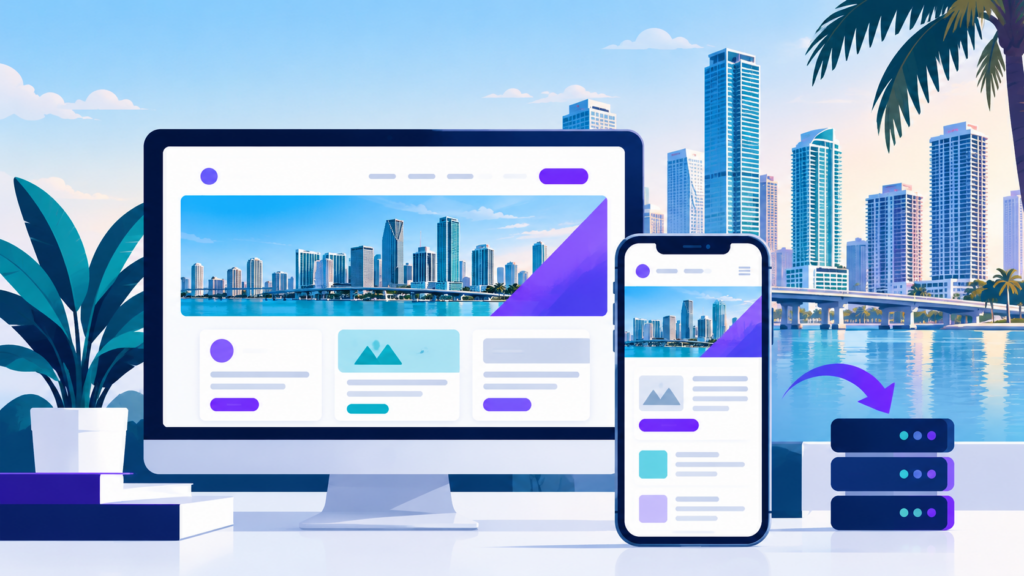
Wix and Squarespace are fine for a single page that just needs to exist. They get harder to work with the moment you need forty pages instead of four – one for each service, one for each Cooper City neighborhood you cover, landing pages for ad campaigns, a blog that actually gets indexed. Those platforms cap how much control you have over page speed, over code-level SEO settings, over how your site talks to tools like Google Search Console and call tracking software. WordPress does not cap any of that. It is open-source, it runs a large share of the web, and the plugin ecosystem means almost anything you want to measure or connect, someone has already built a bridge for it.
For a Cooper City business competing against listings in Davie, Pembroke Pines, and unincorporated Broward searches, that flexibility matters more than it sounds. You need a site that can hold a dedicated page for every service area without turning into a mess of thin, duplicate content. WordPress lets us structure that properly: clean URL hierarchies, schema markup for local business signals, and page templates built so adding the fiftieth page does not break the first forty-nine. We also build on a theme and plugin stack chosen for your actual needs, not a bloated page builder that loads a dozen scripts to render a paragraph. That shows up directly in load times, which still factor into both rankings and whether a visitor sticks around long enough to call.
If you are already on a builder and thinking about this, the real question is not whether to switch. It is how much of your current content and rankings you keep when you do. We map your existing URLs before we touch anything, set up matching redirects, and rebuild your pages so nothing that currently ranks goes dark the day the new site launches.
- Custom page templates for each service and each area you serve locally
- Clean, crawlable site structure built for long-term SEO, not just launch day
- Full ownership of your content, code, and hosting – no platform lock-in
- Migration planning that protects existing rankings and backlinks
What is different about this market
Cooper City is almost entirely residential subdivisions – Monterra, Estancia, Embassy Lakes, The Vineyards, Flamingo Gardens-adjacent streets – built up mostly over the last two decades under active HOA governance. That matters for a WordPress build in a specific way: very few businesses here are storefronts people walk past. Landscapers, AC repair, roofers, pool service, pediatric dentists, tutoring centers, pet groomers – almost everyone is a service-area business that drives to the customer rather than a customer walking in. That changes how Google’s map pack treats you, and it changes what your WordPress site needs to do structurally. Without constant foot traffic past a physical location, your Google Business Profile, your review volume, and your service-area pages carry more of the ranking weight than your street address does. A generic “Home / About / Services / Contact” WordPress template built off a free theme simply doesn’t have the page architecture to compete – you need individual, genuinely written pages for each neighborhood and each service combination, not one thin services page trying to rank for everything.
Competition in Cooper City itself is moderate, but the real fight is regional. You are not just competing with the other business fifteen minutes away in Cooper City, you are competing with every home services company in Davie, Pembroke Pines, and Weston that also lists Cooper City as a service area, because the zip codes border directly and their ad budgets and content libraries are often larger. A WordPress site here has to be built to outflank that with specificity rather than spend: pages built around Monterra driveway resealing or Embassy Lakes irrigation repair will out-rank a regional competitor’s generic Cooper City landing page almost every time, because nobody else bothers to go that granular. This is where WordPress’s flexibility actually pays off – a templated website builder forces every location page into the same shallow mold, while a properly built WordPress site with a real page builder or custom fields can give each neighborhood page its own photos, its own testimonials, and its own language.
Buyers here skew trust-led rather than price-led – HOA-governed neighborhoods tend to produce homeowners who ask neighbors for referrals first and check reviews second, price third. That means your site needs to do the work of a referral, and WordPress needs to be configured to make that trust visible at a glance: clear licensing and insurance information, real photos of completed jobs rather than stock imagery, reviews pulled in and displayed prominently, not buried on a separate testimonials page nobody clicks. A few structural choices make a measurable difference in a market like this:
- Neighborhood-specific landing pages (Monterra, Estancia, Embassy Lakes, The Vineyards) instead of one generic “Cooper City” page
- Reviews and Google Business Profile integration surfaced on the homepage and service pages, not hidden
- Fast-loading, mobile-first design, since a slow WordPress install with bloated plugins loses commuter traffic almost immediately
- Before-and-after photo galleries for visual trades, since trust here is built on seeing actual completed work
- Seasonal content and calls-to-action that shift with South Florida’s service cycle rather than staying static year-round
Search here skews heavily mobile, consistent with a commuter population checking contractors from a phone between work and picking up kids, which means a WordPress theme that merely “looks responsive” isn’t enough – forms need to be thumb-friendly, phone numbers need to be tap-to-call, and page speed on mobile data matters more than it would for a desktop-heavy audience elsewhere. Demand for most home services follows South Florida’s seasonal pattern, with AC, lawn, and storm-prep searches climbing hard from spring into hurricane season, and a WordPress site gives you the ability to adjust seasonally in a way static sites don’t – swapping hero banners, updating service priority, and running timely blog content around hurricane prep or spring lawn treatments without a developer rebuilding the page each time. That kind of built-in flexibility is the real argument for WordPress in a market like Cooper City: the platform itself needs to support an ongoing content strategy, not just display a one-time digital brochure, because the businesses winning here are the ones whose sites keep adapting to the neighborhood, the season, and the trust signals this particular audience is looking for.

What the work covers
The build starts with structure, not design. Every service you offer gets its own page, and if you work across multiple cities, each city gets its own page too, built around what is actually true for that market rather than a copy-paste template. One page cannot rank for forty different search terms, and trying to force it to is the most common reason an existing site underperforms.
- Technical foundation: fast hosting, clean code, a theme that does not load fifteen unused scripts on every page.
- On-page SEO: title tags, headers, and schema markup set up so search engines can read what the page is actually about.
- Conversion elements: call tracking numbers, contact forms, and click-to-call buttons placed where a mobile visitor actually taps.
- Google Business Profile alignment: your site and your profile need to agree on services, service areas, and categories, because mismatches are one reason service-area businesses lose map pack visibility.
- Reporting: multi-touchpoint attribution so you can see whether a call came from organic search, a Google Ad, or a direct visit, instead of guessing.
None of this is exclusive to Cooper City. It is the same mechanism everywhere. What changes city to city is which services matter most, how much competition exists for each term, and what the buyer actually needs to see before they trust you enough to call.
Website planning and design
Organize service pages, navigation, calls to action, and contact information around visitor needs.
Theme and plugin setup
Select and configure suitable tools while avoiding unnecessary features that add maintenance or performance overhead.
Responsive layouts
Ensure the site works across desktop computers, tablets, and mobile devices.
Speed optimization
Review image sizes, caching, scripts, hosting configuration, and other factors that affect performance.
Conversion features
Set up enquiry forms, phone links, appointment pathways, and other relevant actions.
SEO foundations
Configure page titles, headings, internal links, indexability, and other relevant on-page and technical elements.
Testing and launch
Check forms, navigation, mobile layouts, redirects where needed, and important user journeys.
How we start
We start with an audit of what you have now, not a pitch. If you have an existing site, we look at its current pages, its current rankings if any, and whether a migration or a rebuild makes more sense. If you are starting from nothing, we map out which services and which service areas actually deserve their own page based on real search volume, not a guess. Either way, you get a plan before you get a contract.
What it costs
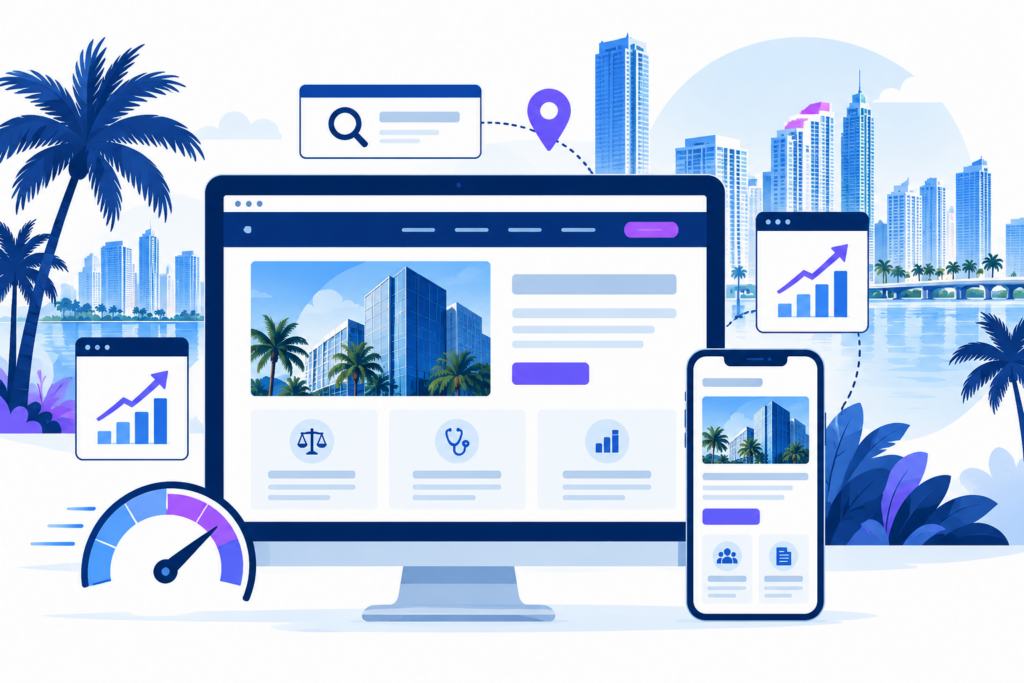
Cost depends on how many service pages and city pages your business actually needs, whether you are migrating existing content or starting fresh on WordPress, and what kind of ongoing SEO or ad management you want layered on top. A single-location service business in Cooper City needs a different scope than one covering six cities across Broward, and a site rebuilt around an outdated theme or a tangle of plugins takes more work than a clean install. Custom functionality, like booking tools, membership areas, or integrations with the software you already run, changes the number too. We quote after the audit, not before it, because a number given before we have seen your current site, your goals, and your competitors in Cooper City is a guess dressed up as a quote. You will know exactly what is included, and why, before you sign anything.

What you get each month
Once your Cooper City site is live, you get monthly reporting on rankings, traffic, and calls tied to the pages behind them.
- Review: Assess the existing site, content, performance, and available analytics.
- Plan: Define the page structure, design requirements, functionality, and SEO priorities.
- Build or migrate: Develop the WordPress site or transfer suitable content and functionality from your current platform.
- Test: Check navigation, forms, responsive layouts, indexing settings, and required redirects before launch.
- Monitor: Review technical health, search visibility, and enquiries after the site goes live.
Built for how Cooper City searches
Cooper City homeowners compare before calling, so your site must carry the proof a neighbor's referral would – licensing, real project photos, visible reviews – on a mobile-first layout, since most local searches here happen from a phone.
Service-area structure, not just a homepage
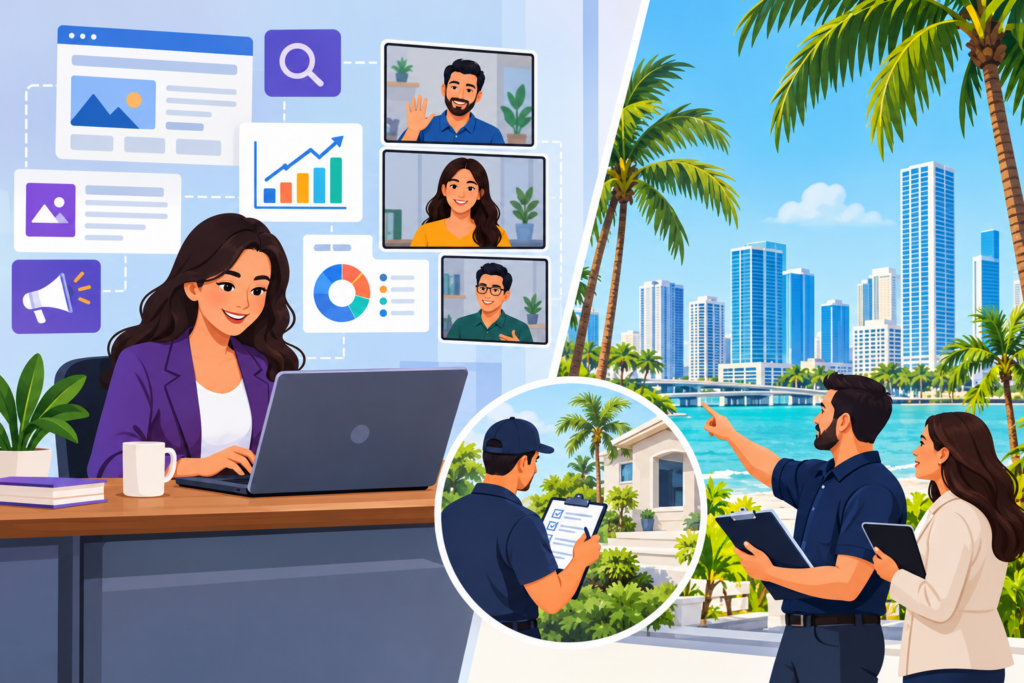
If you serve Cooper City from a base in Davie, Pembroke Pines, or anywhere else nearby, your site needs to say so clearly, with a real service-area page, not a single mention buried in your footer. A homepage that just lists your city in a sentence doesn’t give search engines or visitors the context they need to connect your business to Cooper City searches specifically.
On a WordPress build, we create a dedicated page structure: a clear service-area section, individual pages for Cooper City and the surrounding communities you actually work in, and internal linking that ties them back to your core services. Each page gets its own title, headings, and content speaking directly to that neighborhood, not a duplicated template with the city name swapped out.
- Cooper City-specific landing page with local references and relevant service details
- Clear navigation path from homepage to service-area pages
- Structured content that distinguishes each location instead of thin, repetitive copy
This structure gives you a real foothold in local search results, rather than hoping one footer mention does the job.
FAQ's
These are the 5 questions Cooper City homeowners ask us most about wordpress web design, answered plainly so you know what to expect before any work starts. If yours isn't covered here, get in touch and we'll walk you through it.
Do I have to move off Wix or Squarespace all at once?
No. We typically map your existing pages first, migrate the highest-value content, and phase in the rest so you are not left without a working site at any point during the switch.
Will I lose my current Google rankings if I switch to WordPress?
Not if the migration is handled correctly. The biggest risk is broken URLs and lost redirects, which is why we map your existing site structure before changing anything and set up 301 redirects for every page that moves.
I don't have a storefront in Cooper City. Does that hurt my rankings?
It changes what matters more than it hurts you. Service-area businesses rank through a well-optimized Google Business Profile, consistent service-area pages, and reviews, not through foot traffic past a physical address.
How long does a WordPress build take?
It depends on how many service and city pages you need and whether content already exists to migrate. We give a timeline once we know the scope, not before.
Do you handle the Google Business Profile too, or just the website?
Both can be part of the work. The site and the profile need to list matching services and service areas, so we typically review or set up both together rather than treating them as separate projects.
Get a free audit
If your current site is on a builder, or it has not been touched since you launched it, start with a free audit. You will get a straight answer on what is working, what is not, and what moving to WordPress would actually involve for a business like yours in Cooper City. Call (754) 704-4727 or request the audit online.